
Introduction
A security alert can be concerning, especially when it appears unexpectedly on a mobile or desktop device. One useful response is to review the active sessions connected to your account. This can help you identify unfamiliar devices, locations or login times and take appropriate security measures. For users accessing online services through Wolf777, checking account activity regularly can be a practical part of basic digital security.
What Is an Active Session?
An active session represents a device or browser that is currently signed in to an account.
Depending on the service, session information may include:
- Device type
- Browser
- Approximate location
- Last activity time
- Login date
- Session status
Not every platform displays all of these details, so the available information can vary.
Why Review Sessions After an Alert?
A security notification does not always mean that an account has been compromised. It could be triggered by a new device, changed network, browser update or unusual login pattern.
Reviewing sessions helps you determine whether the activity looks familiar.
Look for:
- Devices you do not recognise
- Unexpected login times
- Locations you have not recently visited
- Multiple unfamiliar sessions
- Activity that occurred while you were not using the account
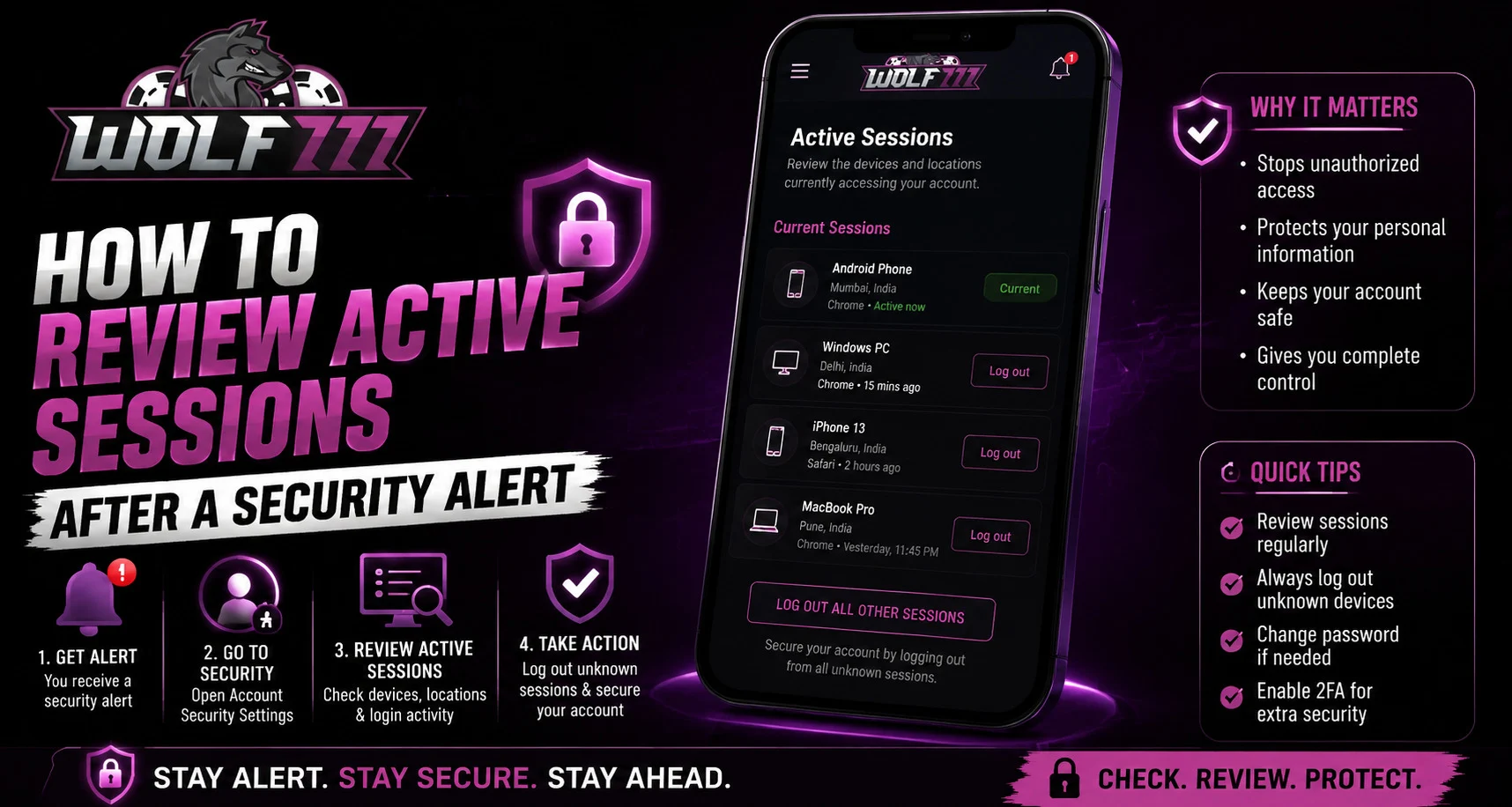
How to Review Active Sessions
The exact steps depend on the platform, but the general process is straightforward.
Step 1: Sign In Securely
Access your account through the official website or trusted application.
Avoid clicking a login link directly from an unexpected email or message.
Step 2: Open Account Settings
Look for sections such as:
- Security
- Privacy
- Account
- Login activity
- Devices
- Active sessions
The wording may differ depending on the service.
Step 3: Review the Listed Devices
Check each session carefully.
Compare the listed information with devices you regularly use, such as your phone, tablet or computer.
Step 4: Identify Anything Unfamiliar
If a session does not appear to belong to you, treat it cautiously.
Do not assume that an unfamiliar location automatically means someone accessed your account. Mobile networks, VPNs and internet providers can sometimes make location information appear different.
Step 5: Sign Out of Unknown Sessions
If the platform provides a sign-out or revoke option, use it for sessions you do not recognise.
Some services also offer a sign out of all devices option.
Change Your Password If Necessary
If you find an unfamiliar session or have other reasons to believe your credentials may have been exposed, changing your password is an important precaution.
Choose a password that:
- Is unique to the account
- Is difficult to guess
- Does not contain obvious personal information
- Has not been reused elsewhere
Avoid using the same password across multiple services.
Enable Additional Security
If the platform supports additional security features, consider enabling them.
Depending on availability, these may include:
- Two-factor authentication
- Login notifications
- Security alerts
- Device verification
- Recovery options
These measures can add another layer of protection to your account.
Be Careful With Security Alerts
Not every security alert is genuine.
Phishing messages can imitate legitimate account notifications and encourage users to click fake login pages.
Before responding to an alert:
- Check the sender carefully.
- Avoid unfamiliar links.
- Open the official website directly.
- Never share your password or OTP.
- Do not provide security codes to someone contacting you unexpectedly.
For anyone using Wolf777 login, these precautions are especially useful when dealing with unexpected account messages.
What If You Cannot Recognise a Device?
Sometimes a device may appear unfamiliar because of a browser change, operating-system update or network change.
Before assuming unauthorised access, consider whether:
- You recently changed phones.
- You used another browser.
- You logged in while travelling.
- Someone you trust accessed the account with permission.
- Your mobile network assigned a different IP address.
If you remain unsure, signing out of the session and changing your password is a safer approach.
Review Account Activity Regularly
You do not have to wait for a security alert before checking your sessions.
A periodic review can help you notice unusual activity earlier.
Consider checking:
- Recent logins
- Active devices
- Password changes
- Account notifications
- Recovery settings
For users accessing Wolf777 com, reviewing the available security settings can help maintain better account awareness.
Conclusion
Reviewing active sessions after receiving a security alert is a simple way to understand what devices may currently have access to your account. While an unfamiliar session does not always indicate unauthorised access, it should not be ignored.
Check the session details, remove unfamiliar access where possible and change your password if you believe your credentials may have been exposed. Additional security features can provide further protection.
Most importantly, respond to security alerts through trusted channels rather than clicking suspicious links or sharing sensitive information.
FAQs
What is an active session?
An active session is a device or browser that is currently signed in to an account.
Does an unfamiliar location always mean someone accessed my account?
No. IP addresses, mobile networks and VPNs can sometimes make a familiar device appear to be in a different location.
What should I do if I find an unknown session?
Sign out or revoke the session if the platform allows it, then consider changing your password and reviewing other security settings.
Should I change my password after every security alert?
Not necessarily. If the alert is legitimate and the activity is recognised, a password change may not be required. If you notice suspicious activity, changing it is a sensible precaution.
Should I share an OTP to verify my account?
No. Never share an OTP with another person, even if they claim to be providing account or security support.
How often should I review active sessions?
There is no universal schedule, but checking sessions periodically and whenever you receive an unexpected security alert is a useful security habit.


